- Batch convert up to 10 JPG or JPEG images at a time.
- Use the tool on mobile, tablet, laptop, or desktop.
- Download each PNG file individually or save all converted images together.
Our JPG to PNG converter helps you convert JPG to PNG online in a few seconds. If you need a free JPG to PNG converter for screenshots, product images, design assets, blog graphics, or edited photos, this tool gives you a quick browser-based workflow with no signup and no watermark.
Use this online JPG to PNG converter when you want a clean PNG file for editing, sharing, publishing, or storing image assets in a more flexible format. It is a simple way to turn JPG images into PNG files from desktop or mobile without installing software.
How to convert JPG to PNG online for free
There are just a few steps to convert JPG to PNG online. Everything runs in your browser, so you can finish the job quickly without creating an account.
-
Click on the "Choose File" button.
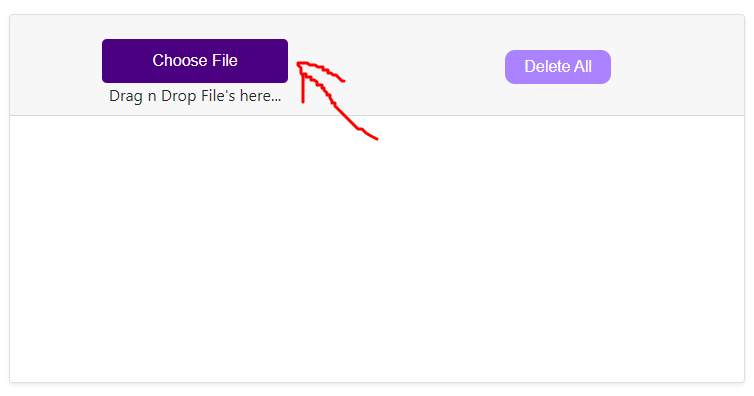
- Select the JPG images you wish to convert (up to 10 at a time).
-
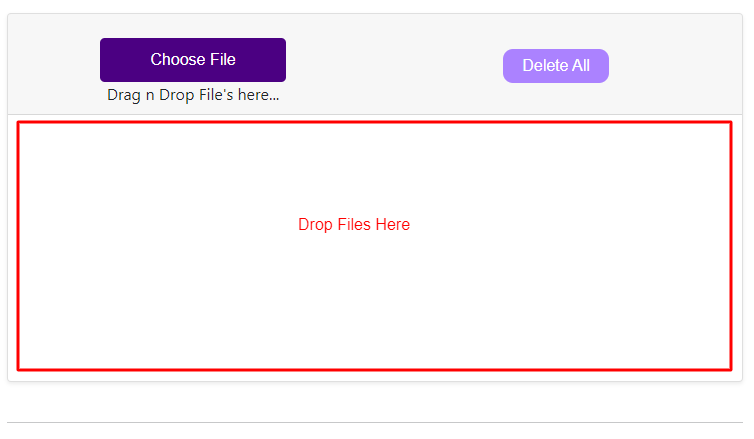
You can also drag files to the drop area to start uploading.
-
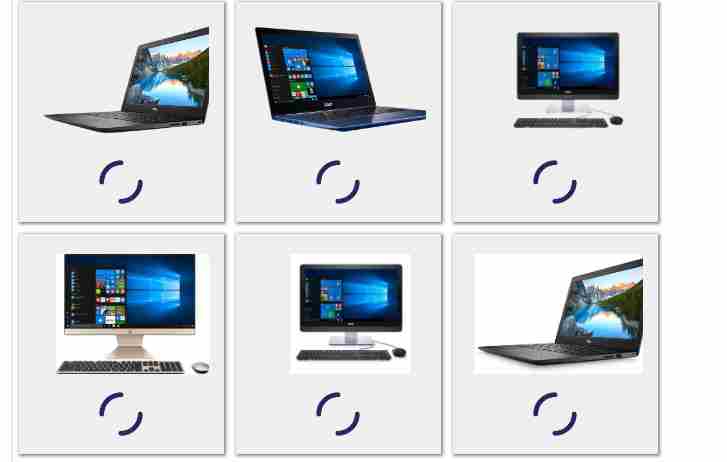
Our tool will automatically process your files and convert them one by one.
-
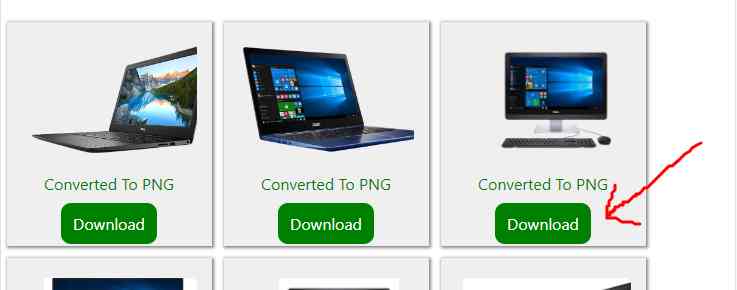
When the conversion process is complete, use the download links to save your converted PNG images.
When should you convert JPG to PNG?
JPG files are great for photos because they keep file sizes smaller, but PNG files are often a better choice when you want sharp edges, more consistent editing results, or a format that works well for web graphics, UI elements, icons, and saved design assets.
If you regularly convert image files for websites, ecommerce listings, social media posts, or document design, switching from JPG to PNG can make the file easier to reuse across different layouts and platforms.
Converting JPG to PNG will not automatically remove the background or create transparency. The PNG file keeps the existing image background unless you edit it separately.
JPG vs PNG: what is the difference?
JPG images use lossy compression, which reduces file size by removing some visual data. That makes JPG a popular format for photographs and general image sharing. If needed, you can also reduce photo size with our image compressor.
PNG images use lossless compression, which keeps image data more intact during saving and editing. PNG is commonly used for graphics, interface elements, screenshots, logos, and web assets where clarity matters.
Best uses for PNG files
- Website graphics, blog images, and UI assets
- Logos, icons, badges, and illustrations
- Screenshots, diagrams, and tutorial images
- Images you plan to edit again later
- Visual assets for ecommerce, social posts, and presentations
More free image tools
If you work with multiple formats, you may also want to try our PNG to JPG converter, image to PNG converter, JPEG to PNG converter, and JPG to WebP converter.
Frequently asked questions
Is it free to convert JPG images to PNG format?
Yes. Our free JPG to PNG converter is available without hidden charges, account creation, or software installation.
Is it safe to use an online converter to convert my images?
Yes. You can use jpgtopngconverter.com to convert image files quickly in your browser without creating an account.
Can I convert JPEG to PNG too?
Yes. JPG and JPEG are closely related formats, so this type of converter is useful when you need to convert JPEG to PNG for editing or web use.
Do I need to install anything?
No. This is a browser-based JPG to PNG converter online, so you can use it from your phone, tablet, laptop, or desktop.